


Process blocks let you define a recurring sequence of steps – for example a screw joint inspection – once and reuse it in as many flowcharts as needed. Changes are made in a single place and, once released, apply to every flowchart that uses the process block.
The Process Blocks feature includes the following functionalities:
This article explains how to create process blocks, embed them in flowcharts and change them.
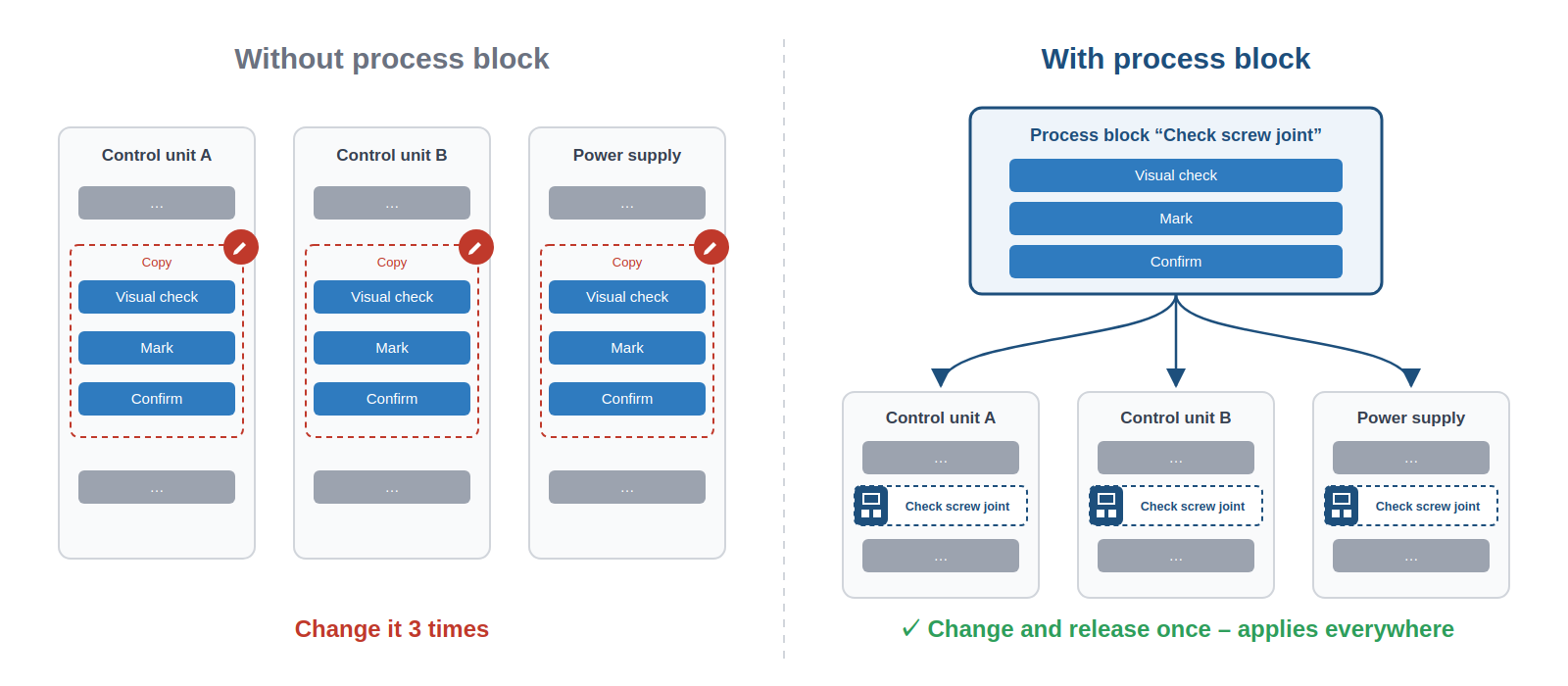
Many assembly processes contain identical sequences of steps, for example a visual check followed by an inspection mark. Without a process block, every flowchart holds its own copy of these steps. If the sequence changes, each copy has to be updated and each flowchart released again – and the copies quickly drift apart.
With a process block, the sequence exists only once. The flowcharts merely reference the process block. A change is made and released once and then applies everywhere.
Process blocks are managed in the administration under Flowcharts on the Process Block Overview tab. Click New Process Block to create a new process block.

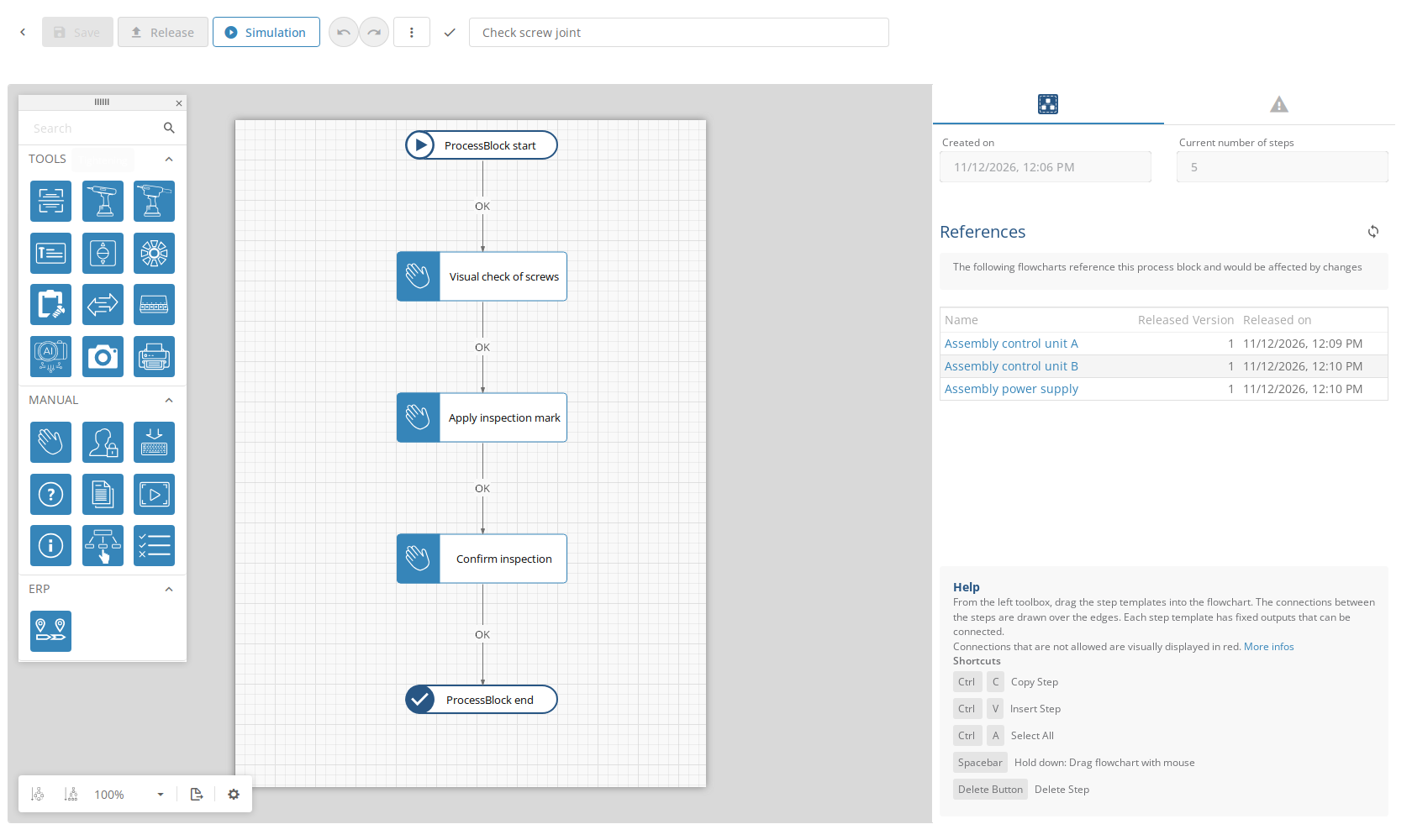
In the editor, every process block contains the steps ProcessBlock start and ProcessBlock end by default. Between them, steps are dragged from the library onto the canvas as usual and connected. Then enter a title and click Save.
Please note:
In the flowchart editor, drag the ProcessBlock step from the Structure section of the library onto the canvas. In the step details, select the process block you want to use. Connect the step to the flow like any other step.
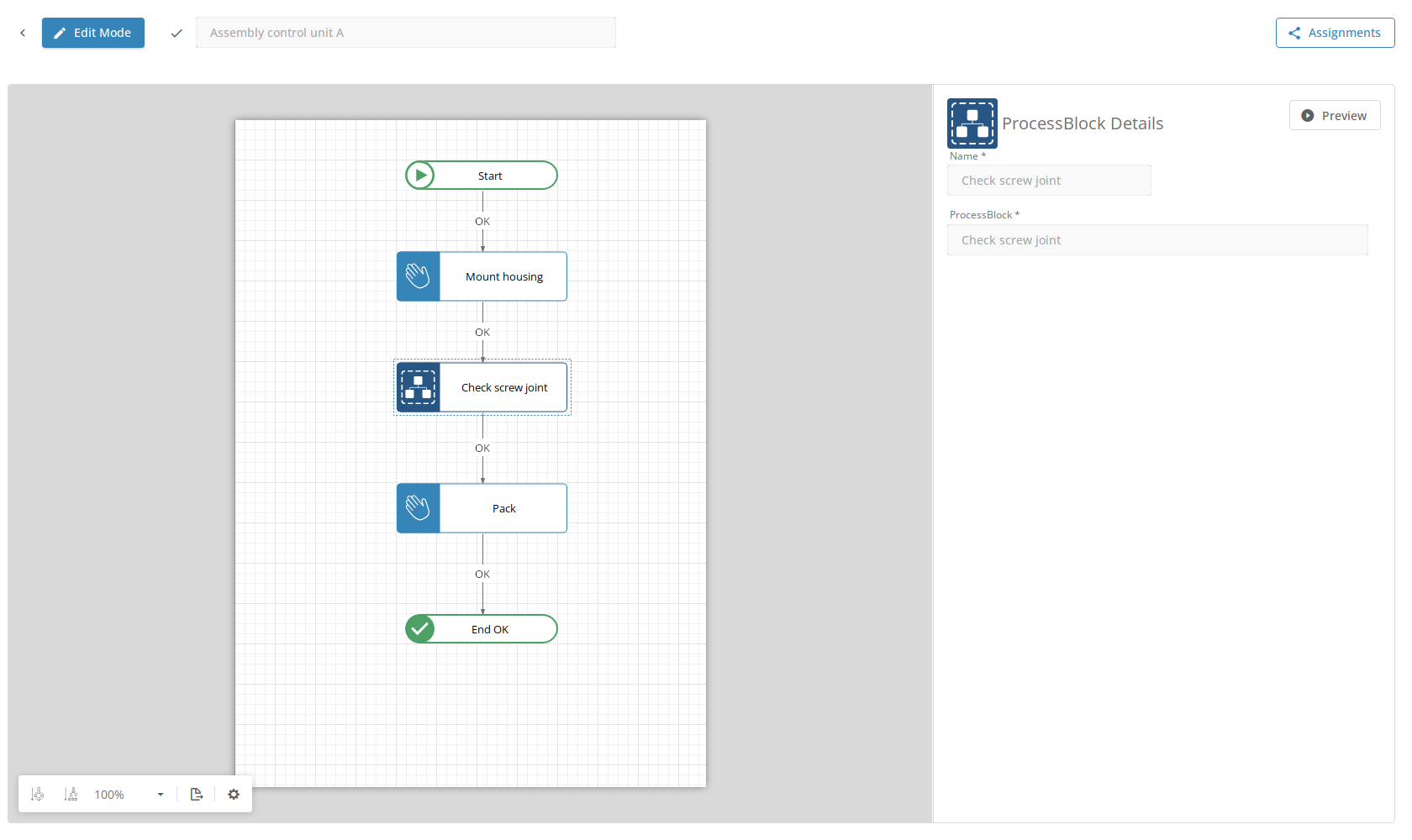
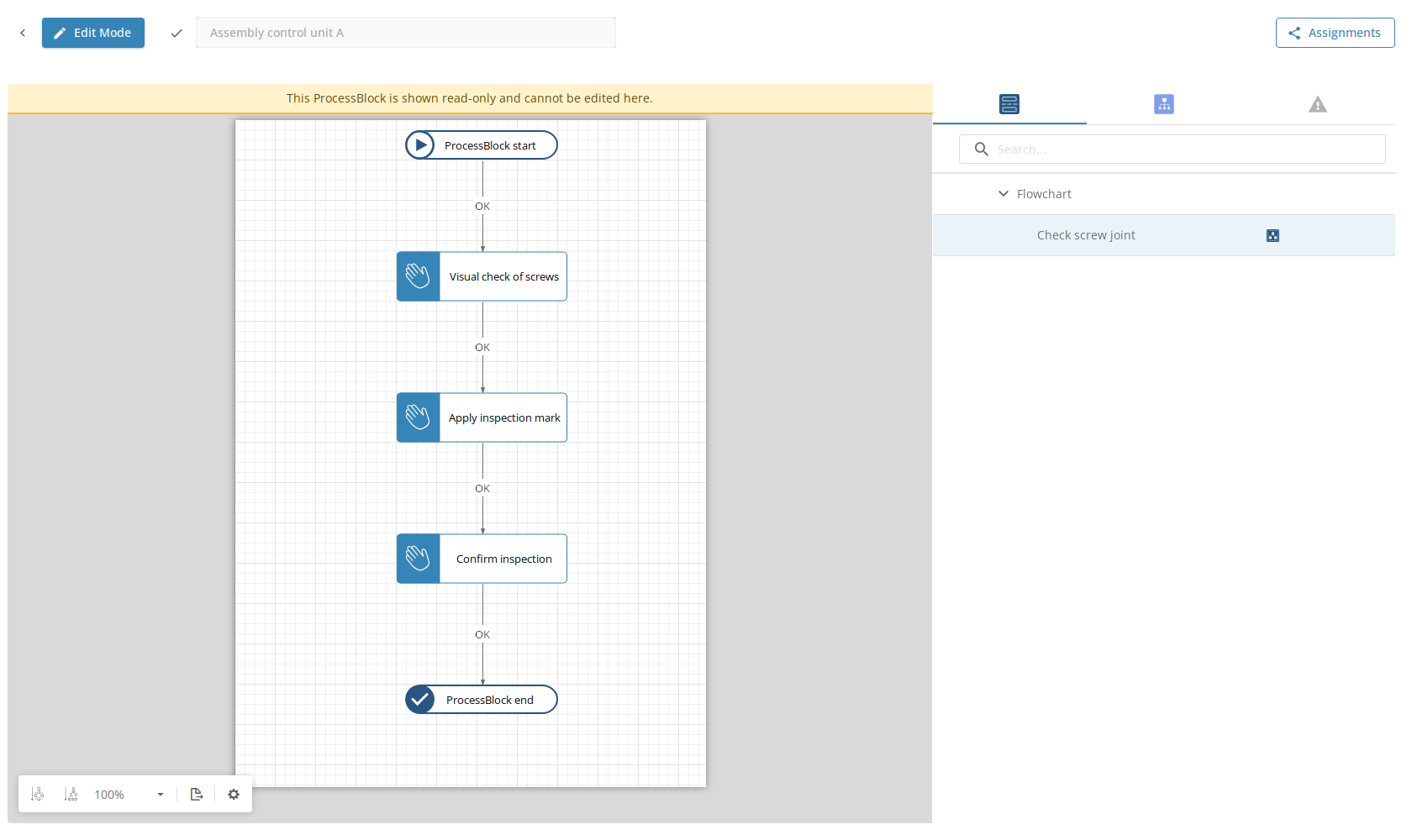
Double-clicking the step shows the content of the process block – always the latest released version. The view is read-only: a process block can only be changed in the Process Block Overview, not from within a flowchart.
As with flowcharts, Save only changes the draft. The new version takes effect with Release – immediately in all flowcharts that embed the process block. The flowcharts themselves do not need to be released again.
The References section in the process block editor (see figure above) shows which flowcharts are affected by a change – including the released version and release date of each flowchart. A process block counts as used as soon as a flowchart containing it has been released.
A process block that is still used in a released flowchart cannot be deleted. The message lists the flowcharts that still use it. Only after the process block has been removed from these flowcharts and they have been released again can it be deleted.
Process blocks use the same permissions as flowcharts: View Flowcharts, Process Blocks and Assignments, Manage Flowcharts and Process Blocks and Release Flowcharts and Process Blocks. They are assigned under Groups.

