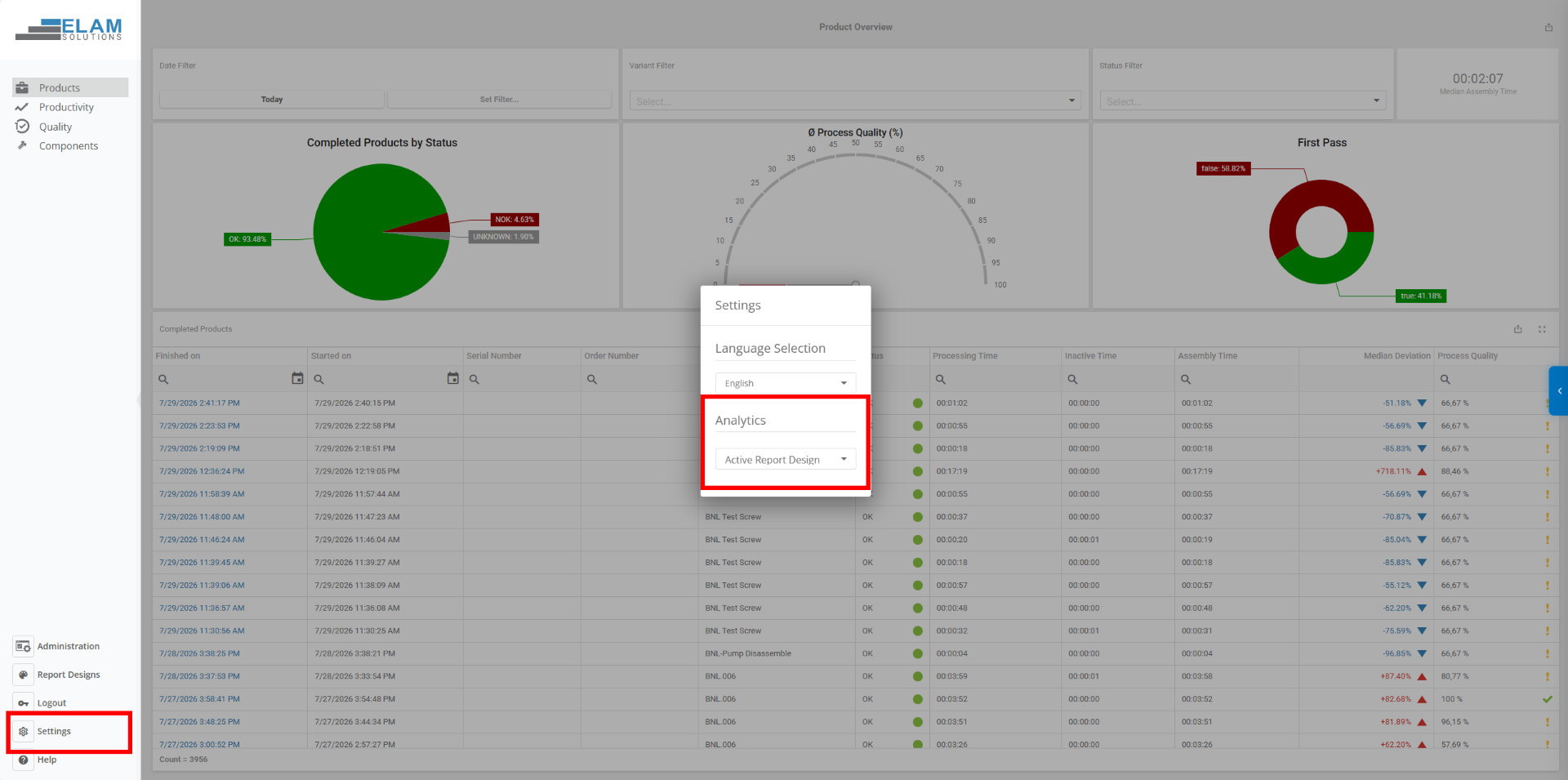
Report Designs enable you to create reusable report templates for Analytics reports. You can customize the report layout, upload a company logo, and define filters to include only relevant process steps. Once activated, the selected report design is automatically applied to all newly generated reports, ensuring a consistent and professional presentation.
Report designs let you customize your reports to your needs. You can limit the header information displayed and include only relevant steps by applying configurable filters defined in the report design.
Navigate to Administration → Report Designs and select + New Report Design.
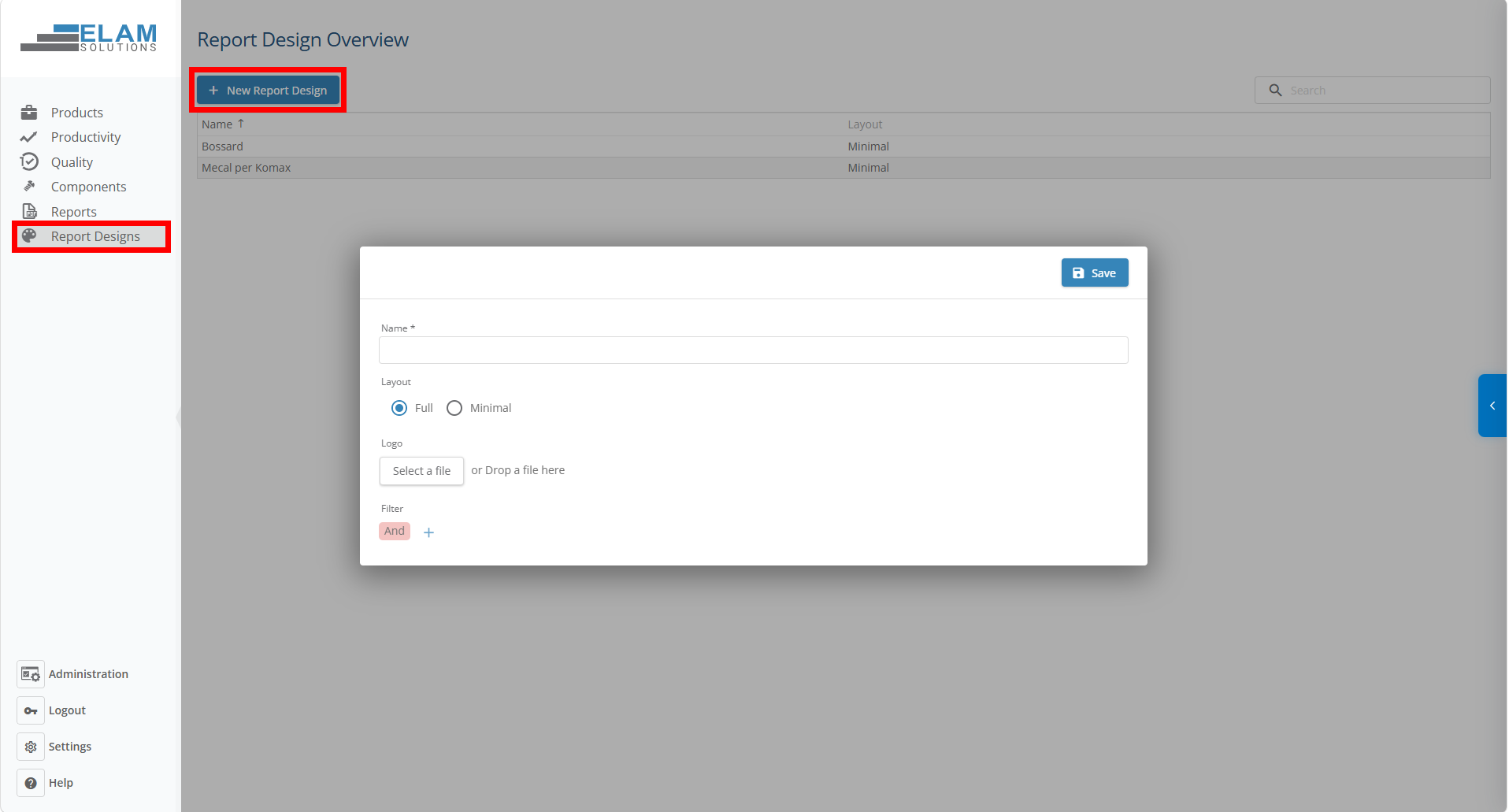
When creating a new report design, you can configure the following settings:
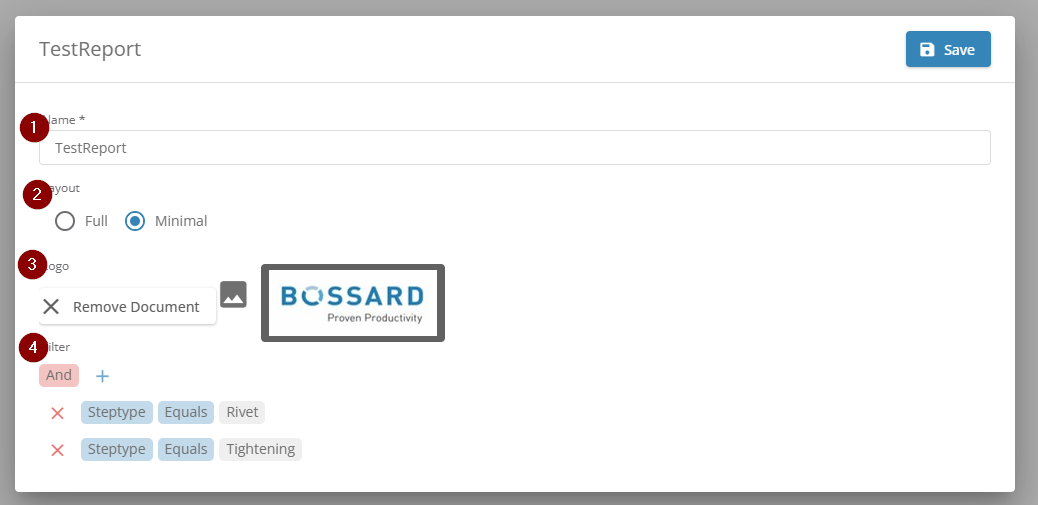
Once saved, the report design can be reused for all future reports.
Open Settings within the Analytics section and select your report design under Active Report Design.
From that moment on, all generated reports will automatically use the selected layout, logo, and predefined filters.
This allows you to create reports that are tailored to specific customers, products, or manufacturing processes without having to configure them each time.